 Photo Enhancer
Best Free Online AI Photo Enhancers in 2026, Compared
Which free online AI photo enhancer is actually free in 2026? This comparison covers daily-credit tools, browser-local processors and freemium editors — with the limits of each.
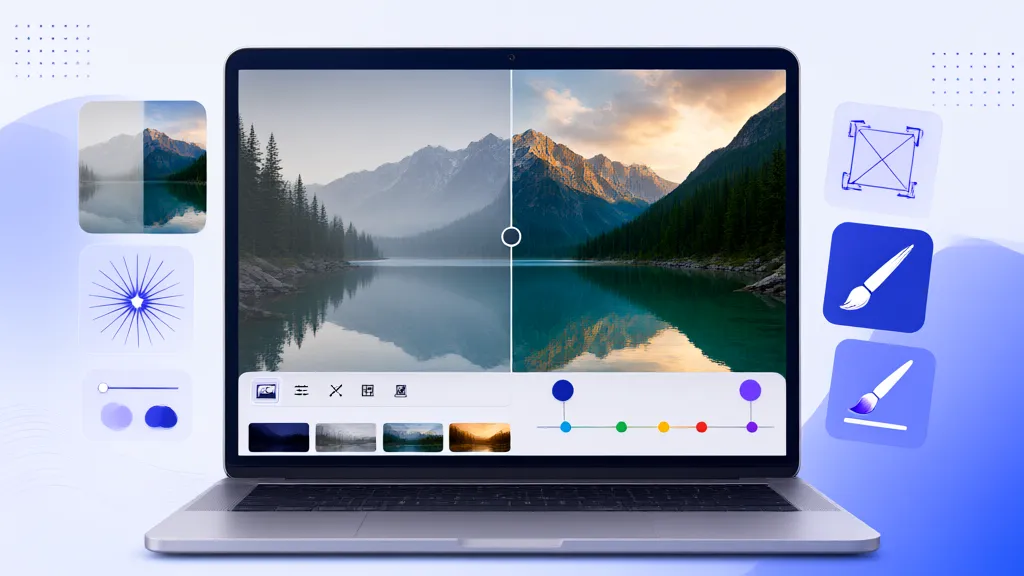
The best free online AI photo enhancer in 2026 depends on what "free" means for you: a no-account daily allowance, unlimited in-browser processing, or a freemium editor with paid exports. Tools that fit the first two groups include EnhancerPhoto's daily-credit enhancer and OpenPixels' browser-local processor; freemium editors such as Fotor, PicWish and Remini offer AI enhancement with credit systems or subscriptions beyond limited free use. The right choice comes down to volume, output size needs, and where you want your photos processed.
This comparison sets out what each approach actually offers — with its limits stated — so you can pick by criteria instead of slogans. Features below reflect what each product publicly listed at the time of writing (November 2026); always re-check a tool's current page before committing time to it.
What counts as "free" for an AI photo enhancer?
AI enhancement costs real computing money, so every "free" tool recovers cost somehow. There are four honest models:
| Free model | How it works | Typical limit |
|---|---|---|
| Daily credit allowance | Visitors share a daily free quota, no account needed | A few photos per day |
| Browser-local processing | Runs on your device; site pays nothing per photo | Device speed, model size |
| Freemium credits | Small trial balance, then paid credits | A few uses, watermark/size limits vary |
| Subscription trial | Full features during a trial period | Trial length |
A tool claiming "unlimited free" cloud AI enhancement is either running on your device or monetizing something else — worth checking before uploading private photos.
The 2026 free online AI photo enhancers at a glance
| Tool | Free tier | Watermark on export | Where photos are processed | Standout strength |
|---|---|---|---|---|
| EnhancerPhoto | Shared daily credits (8/day at time of writing), no account needed | No | Cloud | Full toolset: enhance, upscale, restore, sharpen, unblur text |
| OpenPixels | Free in-browser tools | No | Your device (browser-local) | Privacy-friendly local processing |
| PicWish | Free tier with auto-upscale (output listed up to 4096 px) | Check current export policy | Cloud | One-click auto enhancement |
| Fotor | Freemium; upscaling listed to HD/4K/8K tiers | Credit system gates heavier use | Cloud | Editor + enhancement in one place |
| Remini | Trial of subscription | Subscription after trial | Cloud | Strong face-enhance branding |
| Pixelcut | Free in-app exports limited | Limited free exports | Cloud (mobile app) | Product-background templates |
Two disclosures: this article is maintained by EnhancerPhoto, so verify every claim with your own test photo — including ours. And competitor details are summarized from their public pages in November 2026; products change pricing and limits frequently.
How each tool fits real use cases
EnhancerPhoto — daily free credits plus a complete toolset
EnhancerPhoto gives visitors a shared daily allowance of free credits without requiring an account — 8 credits per day at the time of writing, with a standard enhancement costing 4 — and no watermark on any export. The same account-free flow covers a full toolset: whole-photo enhancement with scene selection, 2×/4× upscaling with output dimensions shown before you commit, old-photo restoration, original-size sharpening, text unblurring, AI editing and background removal. Photos are processed in the cloud, stored only for the uploader, and auto-expire (24 hours for guests, 7 days signed in). Best for: people who want several distinct fixes per day with honest, displayed limits.
OpenPixels — free processing that never leaves your device
OpenPixels runs its restoration and enhancement models in the browser, so photos are processed locally on your own machine. That makes it a strong pick when privacy is the top concern or when you're offline-capable, and its old-photo pages directly answer damage, faces and limits. The trade-off is device-dependent speed and a focused toolset rather than a full editing suite. Best for: privacy-first users comfortable processing on their own hardware.
PicWish — one-click auto enhancement
PicWish's photo enhancer automatically upscales resolution as part of enhancement, with a listed maximum output of 4096 px — simple and fast for batch-style web use. Larger originals get resized down to that ceiling, and heavier or commercial use pushes toward paid plans. Best for: quick web-sized results with minimal decisions.
Fotor — enhancement inside a full editor
Fotor's AI image enhancer bundles enhancement with a complete online editor, with upscaling listed up to 4K/8K tiers gated behind its credit system. That convenience suits people who want to enhance, crop and design in one session. Best for: users already living inside an editor for social output.
Remini — subscription face enhancement
Remini built its brand on face enhancement and photo restoring, with HD output as the default promise. It operates on a subscription rather than a free allowance, and some users report an over-processed "AI look" on faces — compare before/after on your own photo to see if you like the style. Best for: mobile-first users happy to subscribe for consistent face touch-ups.
How to choose: a five-question checklist
- How many photos per day? A daily allowance covers casual use; volume needs credits or local processing.
- How big must outputs be? Web use is easy everywhere; print needs real 2×/4× upscaling with dimension previews.
- Where may photos be processed? Cloud is faster and lighter on your machine; browser-local wins for sensitive images.
- What's the watermark policy? "Free" with a forced watermark is a trial, not a free tool — check the export screen, not the homepage. The watermark question has its own deep-dive: best free AI photo enhancers without watermarks.
- Does it do the specific fix? Restoration, text unblurring and background removal are different tools; a generic "enhance" button is not always enough.
Frequently asked questions
Pixelcut — product backgrounds from your phone
Pixelcut approaches "enhancement" from the design side: remove a product background, drop it onto a styled backdrop, and export a store-ready image — all from a phone. It works well when the destination is a marketplace listing, but it is not a restoration or upscaling tool, and full use sits behind its subscription. For a deeper comparison of where Pixelcut fits versus six other tools, see Pixelcut alternatives.
Is there a completely free online AI photo enhancer?
Yes, with limits. Browser-local tools are free per-photo because your device does the work; cloud tools like EnhancerPhoto offer a daily free credit allowance instead. Nothing with server-side GPU processing is unlimited-free forever — the cost has to land somewhere.
Do free AI photo enhancers add watermarks?
Not all. EnhancerPhoto exports with no watermark even on the free daily allowance; other tools vary — some watermark free exports, some gate size instead. The only reliable test is exporting one photo and looking.
Which free enhancer is best for old family photos?
Look for a dedicated restoration step (scratch/dust cleanup), not just sharpening. EnhancerPhoto separates restoration from enhancement and upscaling so each fix is controlled — the face-safe workflow is detailed in how to restore old family photos without changing faces; OpenPixels also covers the old-photo scenario locally.
Can I enhance photos online without signing up?
Yes. EnhancerPhoto's daily allowance works without an account; OpenPixels runs without one in the browser. Accounts typically buy bigger quotas, longer storage and history — decide whether you need those.
Pick one and test with your own photo
Specification tables age; your test photo doesn't lie. The fastest fair comparison is to run the same photo through two tools' free tiers and compare: sharpness where it matters, faces staying themselves, and the export you actually receive. Start with the enhancer and its image upscaler — the daily free credits make the comparison cost nothing but a few minutes.
Related guides
- How to make old blurry photos clearer with AI — the step-by-step workflow this comparison assumes you're choosing tools for.
- How to restore old family photos without changing faces — the face-safe restoration workflow, with per-tool limits.
- Best free AI photo enhancers without watermarks — which free tiers export clean files, and the checks that prove it.